Request, receive, and validate your clients’ documents in one secure workspace — with automatic reminders, reusable templates, and an overview of all your requests.
Why it matters
The real cost of chasing client documents
In many firms, document collection seems simple — until it turns into a series of follow-ups, reminders, and manual checks. It’s not just a time issue. It’s also about structure, traceability, and client experience.
Without a clear structure | With a Convoflo file request |
|---|---|
Repeated follow-ups for the same documents Attachments scattered across multiple emails Multiple versions of the same file No clear visibility on what’s received, missing, or rejected Administrative time that keeps adding up A frustrating experience for both the firm and the client | A clear list of requested documents Required vs optional documents Deadlines and automated reminders Direct uploads in a secure workspace Review, approval, or rejection in one place A complete overview of all requests |
In other words, you move from a manual, fragmented process to a structured workflow — easier to manage, and much easier for your clients.
Create a document request
To create a request, open the conversation with your client and select File request. You can then define which documents to receive, indicate which ones are required, and configure reminders.
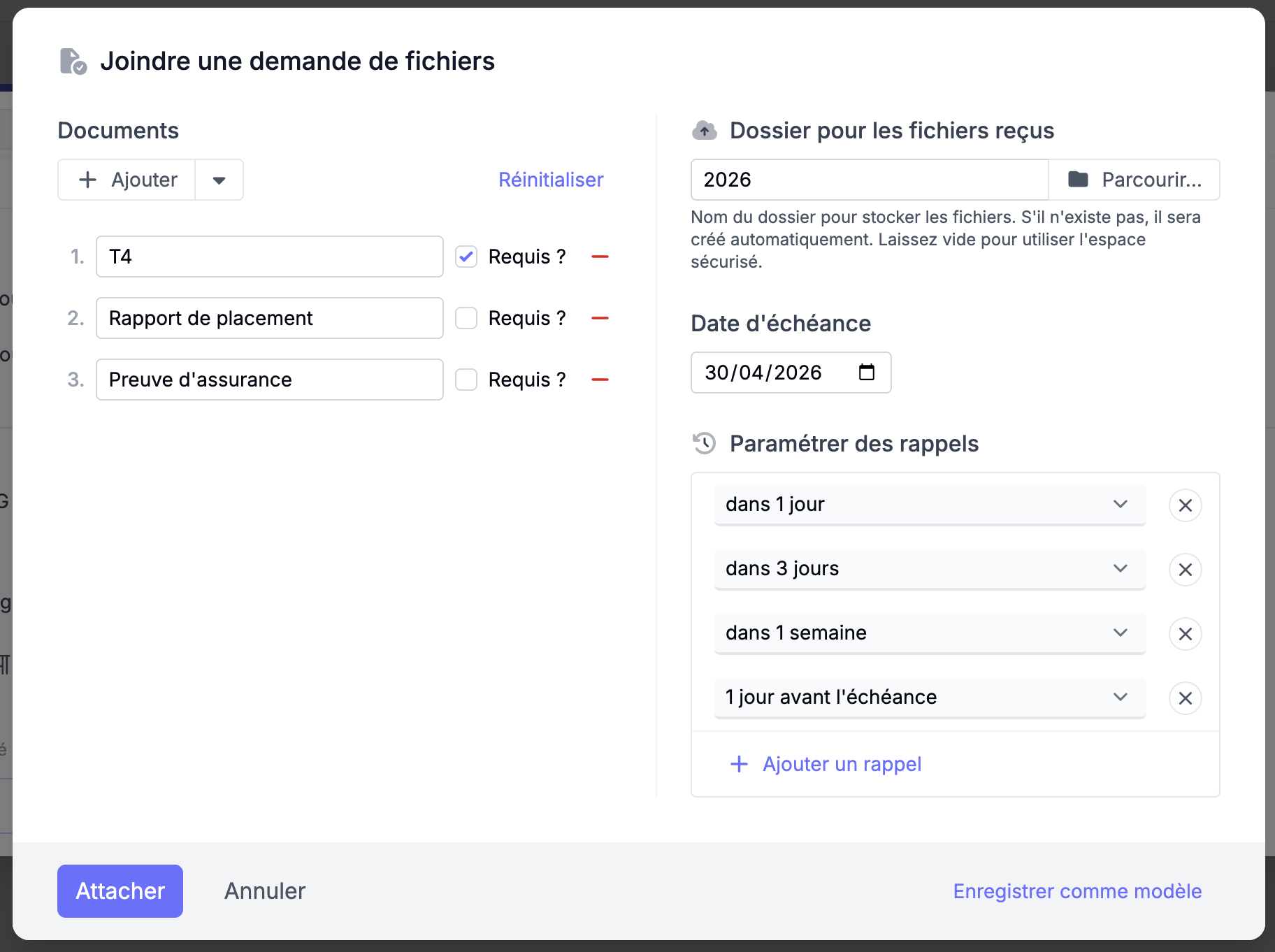
For each document, you can also define:
whether the document is required or optional
a due date
automatic reminders if the request is not completed
Convoflo can send automatic reminders after 1 day, 3 days, and 7 days. However, this setting is customizable, allowing you to create your own automated reminder plan.
Save a template to reuse your requests
If you regularly request the same documents, you can save the request as a template.
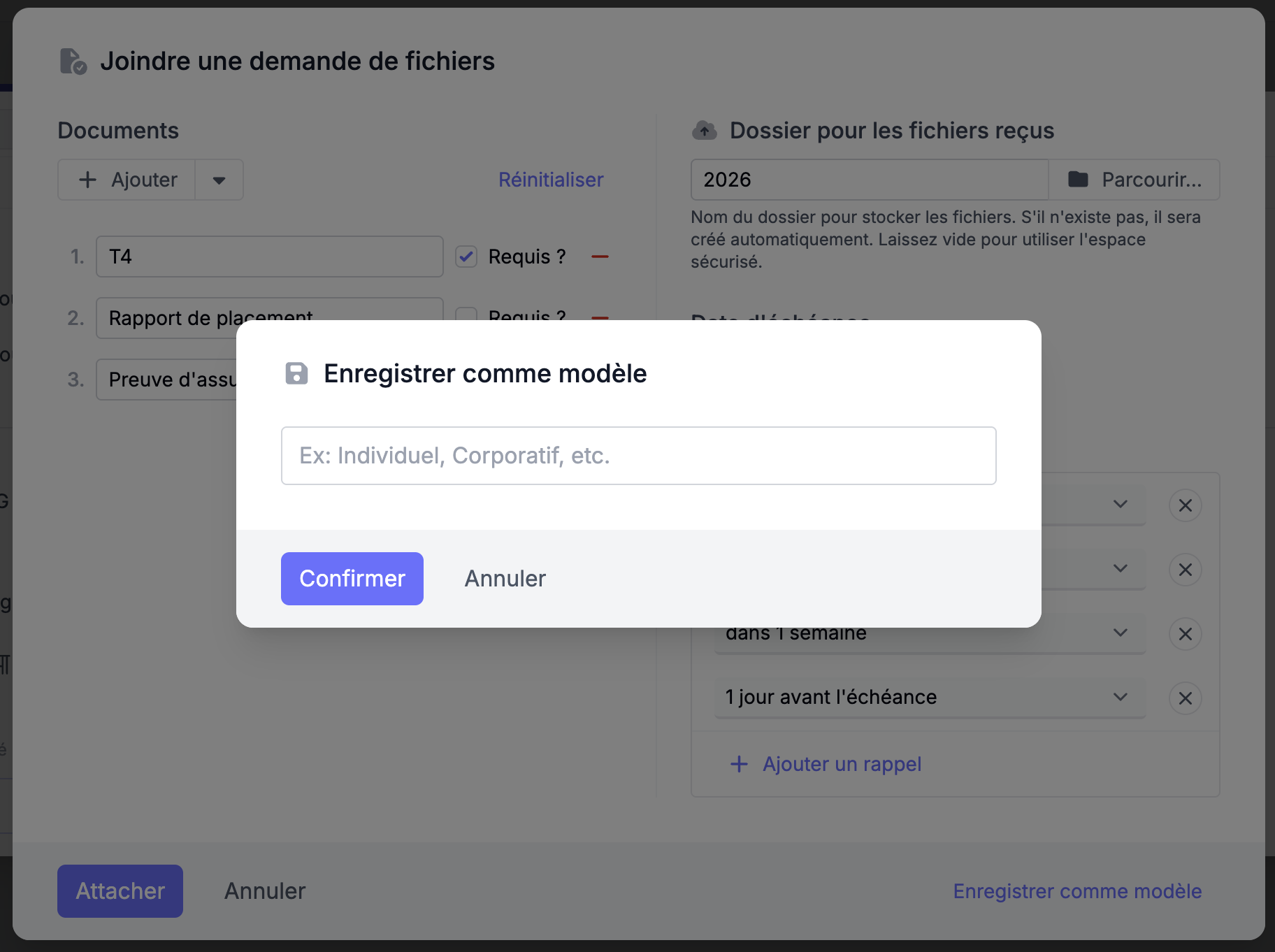
This allows you to:
reuse the same document lists
standardize your processes
save time on recurring files
Templates are especially useful for processes such as:
tax returns
new file openings
compliance checks
What your client can do
Once the request is sent, your client can respond directly in the secure workspace.
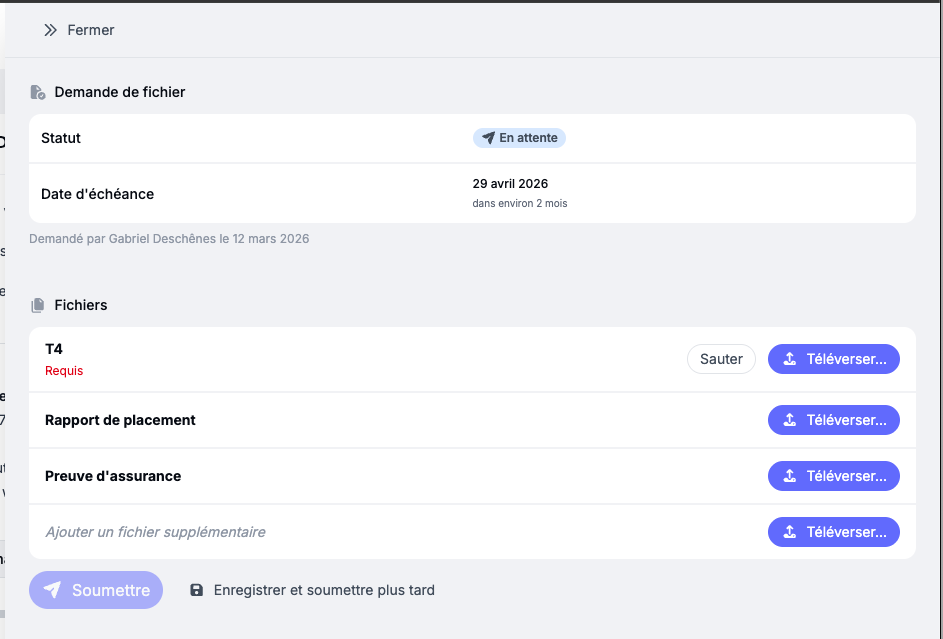
The client can:
upload the requested documents
decline a required document while explaining why
add additional files if needed
Validate received documents
Once documents are submitted, you can review them directly in Convoflo.
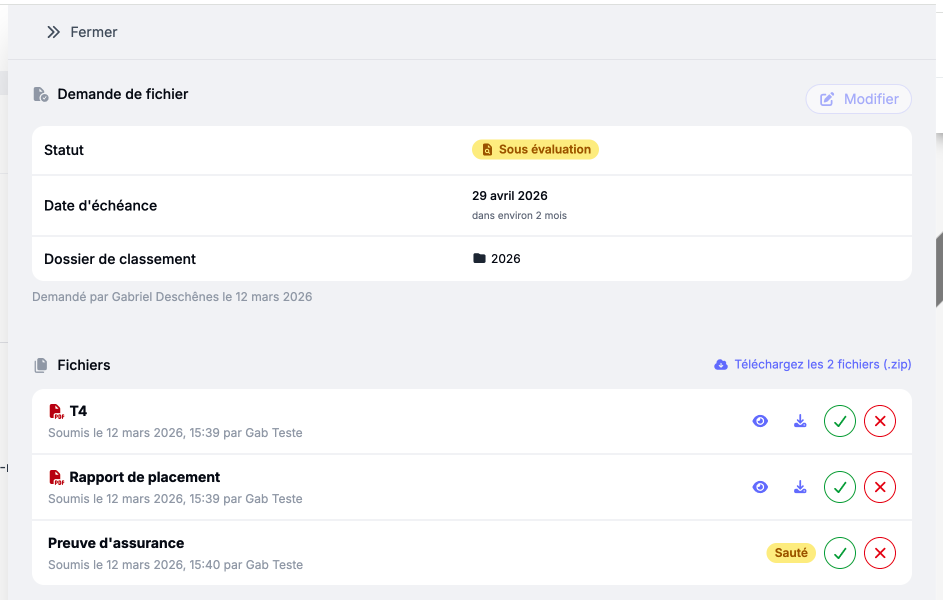
preview files
download them
approve them
reject them if necessary
If a document is rejected, the client can submit a new version.
Track all requests at a glance
Convoflo also provides an overview to track all your file requests.
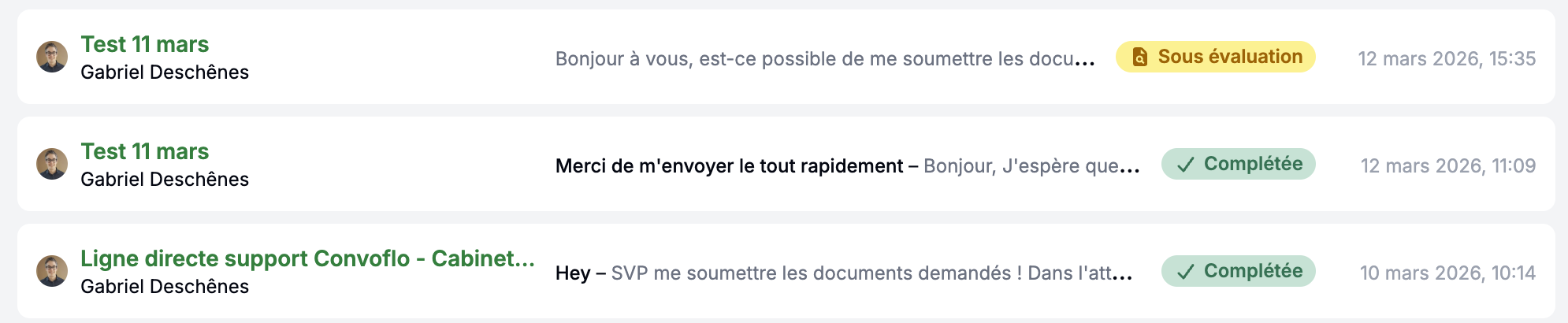
pending requests
requests under review
completed requests
A simpler way to manage your document requests
With Convoflo, document collection becomes structured, easy to track, and simpler to manage — for both you and your clients.
Instead of following up by email and juggling scattered files, you centralize your requests, automate follow-ups, and maintain full visibility over every document, from request to validation.
Start with your first request. You’ll quickly see the difference.
Published on Wednesday, March 18, 2026
Last updated on Wednesday, September 23, 2026